Sharing a Read-Only Link
A share link lets anyone who has it view a cloud diagram in their browser — no account, nothing to install — without being able to change it.
Click Share in the ribbon (available once a diagram is saved to the cloud).
Creating a link
Section titled “Creating a link”Choose two things:
- What the link shows — Manager view only, Engineer view only, or Both views. A manager-only link never receives the engineer view at all; it isn’t just hidden.
- Expires after — 1, 7, 30 or 90 days, or never.
Click Create link, then Copy.
What the recipient sees
Section titled “What the recipient sees”The diagram, read-only, always showing the latest saved version. They can pan, zoom, and click a device to see its details and any open findings. They can’t move, edit, connect or delete anything, and they can’t see your other diagrams.
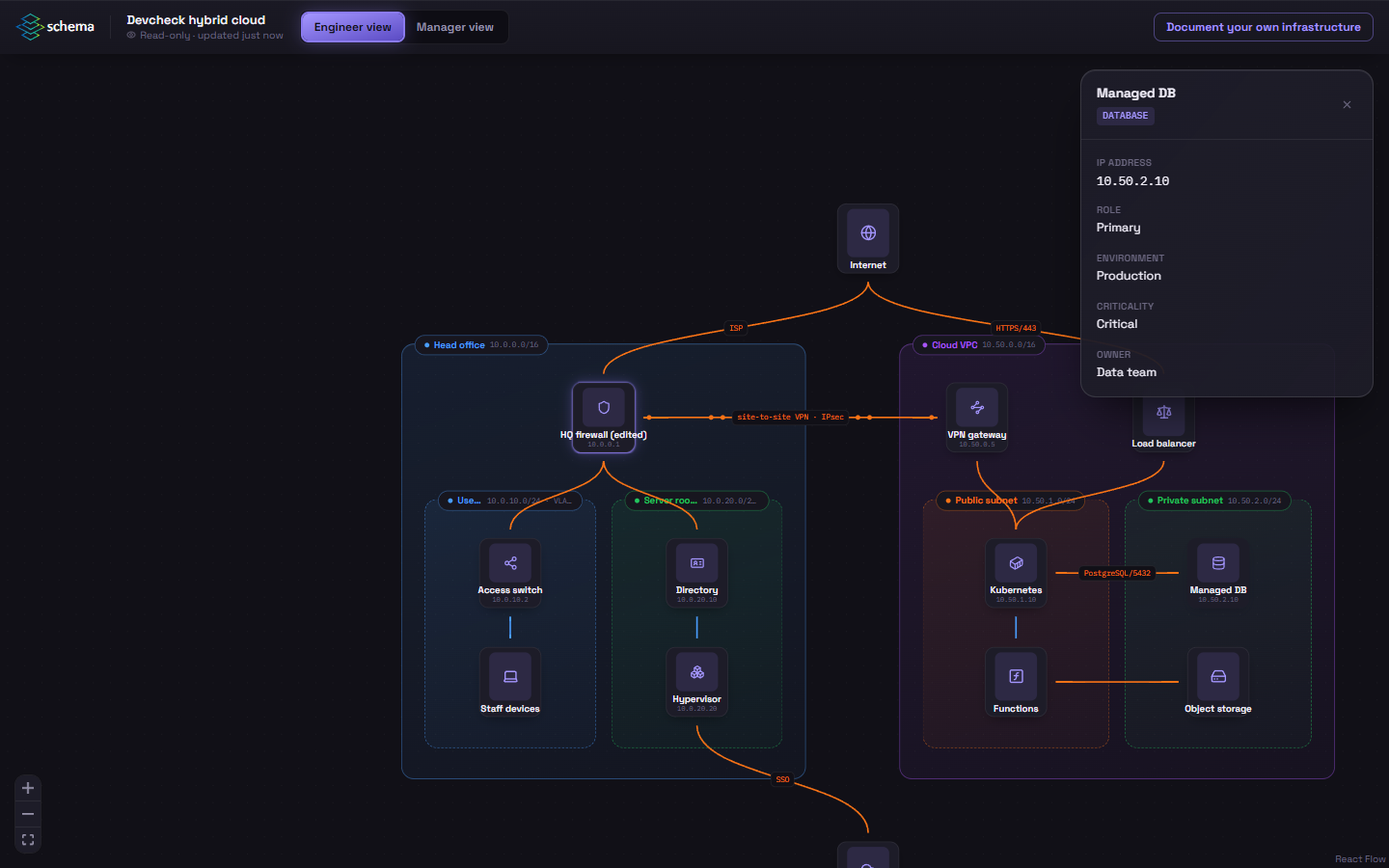
Shared links work on phones and tablets.
Managing links
Section titled “Managing links”The same dialog lists every active link on the diagram: what it shows, when it expires, and how many times it has been opened and when last. Click Turn off to revoke one immediately.
Links stop working on their own when they expire, and when the diagram is deleted.
Good practice
Section titled “Good practice”- Anyone holding the link can open it, so send it the way you’d send anything sensitive.
- Prefer Manager view only unless the recipient needs IP-level detail.
- Prefer a short expiry. A link for an audit only needs to outlive the audit.
- Opening a link is recorded in the diagram’s activity log.