Engineer vs. Manager View
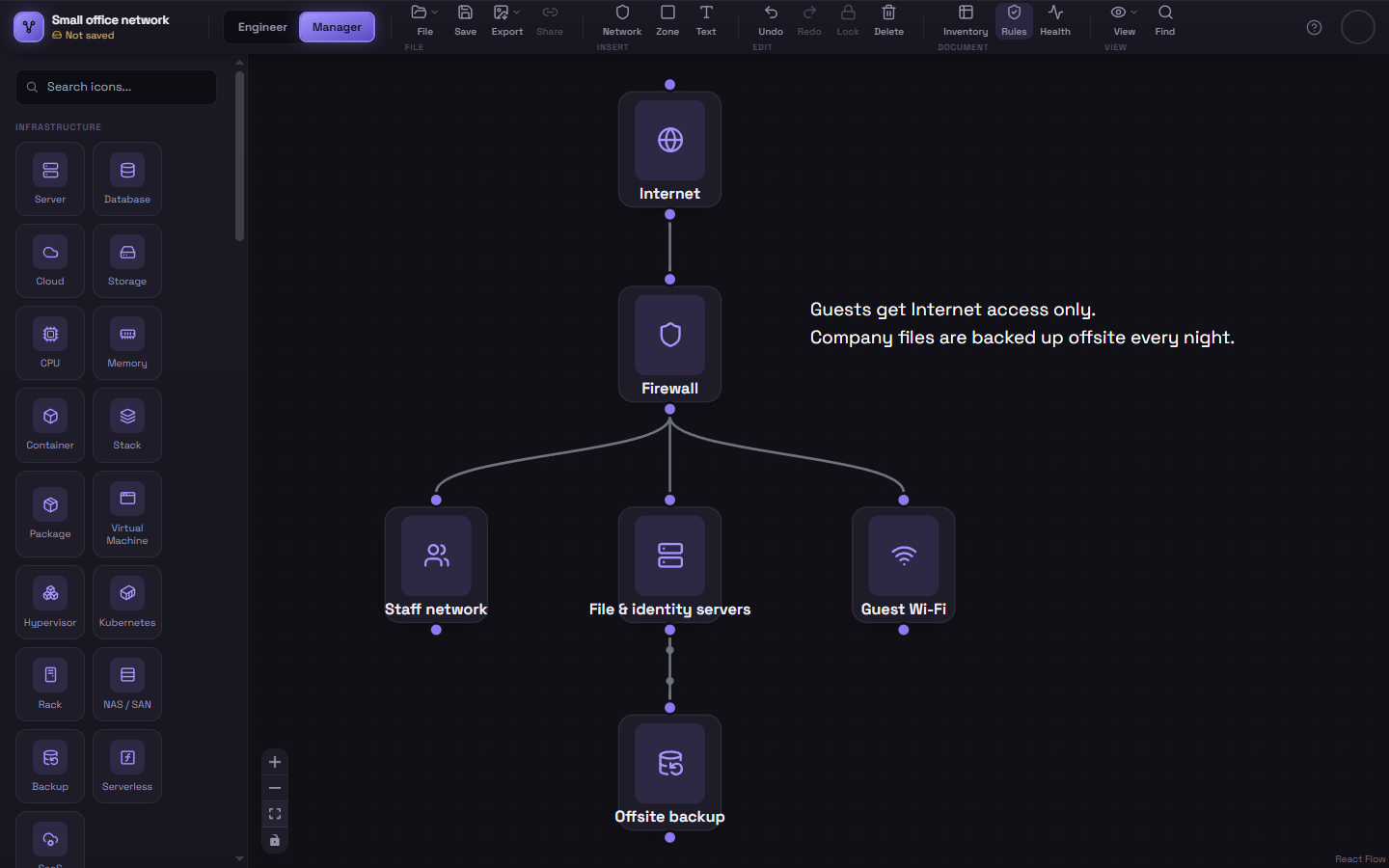
Every Schema diagram actually holds two independent diagrams — Engineer View and Manager View — switchable from the tabs at the top-left of the ribbon.
Why two views
Section titled “Why two views”The idea is to keep a detailed, technical diagram (Engineer View) and a simplified, high-level version of the same system (Manager View) in the same file, so you don’t have to maintain two separate diagrams by hand. Build out the full architecture in Engineer View, then switch to Manager View and build a simpler summary — collapsing a whole tier down to one box, dropping IP addresses and low-level detail — using whatever level of abstraction makes sense for a non-technical audience.
They’re completely independent
Section titled “They’re completely independent”Nodes, connections, containers, and compliance rules in one view have no effect on the other. Switching views is like switching to an entirely different diagram — the only thing they share is living in the same saved file.
Switching
Section titled “Switching”Click Engineer or Manager in the view switcher at the left of the ribbon. Whatever you were doing in the previous view — a node selected, the color toolbar open — closes automatically when you switch, since it no longer applies.
Saving and loading
Section titled “Saving and loading”Saving and opening work on both views at once — a single diagram, in the cloud or as a .json file, contains the full Engineer View and the full Manager View together. Exports (images, documentation, inventory) cover whichever view is on screen, share links let you choose which view the recipient gets, and Merge and Import add to Engineer View.
To carry part of one view into the other, copy it (Ctrl+C), switch views, and paste (Ctrl+V).