Colors
Select any node, container, or connection and a small color toolbar appears in the top-right corner of the canvas.
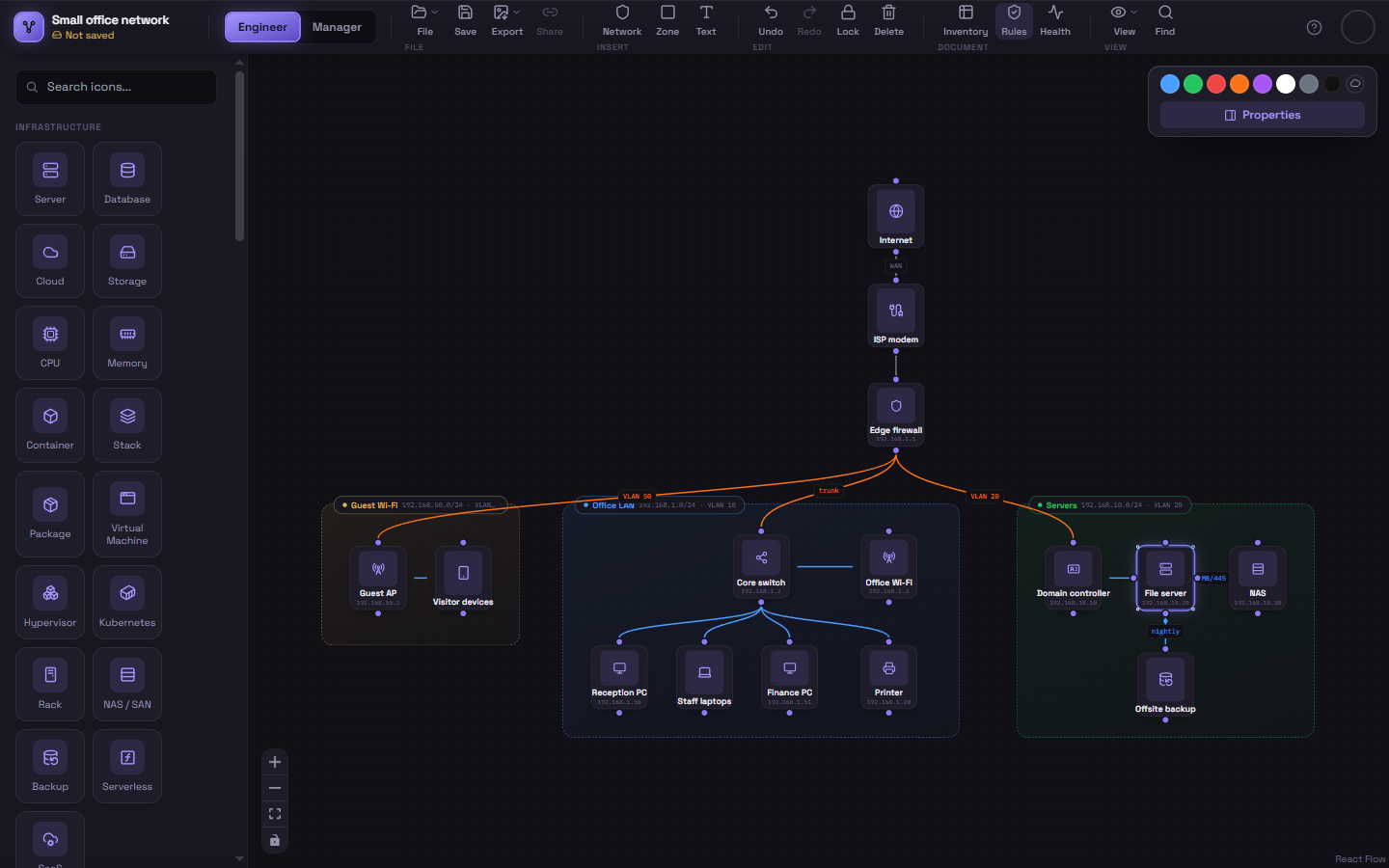
Preset swatches
Section titled “Preset swatches”Click any of the eight preset swatches (blue, green, red, orange, purple, white, gray, black) to apply it instantly.
Custom colors
Section titled “Custom colors”Click the paint-swatch icon at the end of the row to open a full color picker and choose any color you like.
What gets colored
Section titled “What gets colored”- Nodes — recolors the icon itself and its label text.
- Zones & Segments — recolors the container’s border, background tint, and label pill.
- Connections — overrides Schema’s automatic edge coloring with a manual color of your choice. This is useful for calling out a specific connection (e.g. coloring a risky direct-to-internet link red) regardless of what the automatic blue/orange logic would otherwise pick.
To go back to automatic coloring on a connection, there isn’t a dedicated “reset” button today — pick the color that matches what the automatic logic would have chosen (blue for same-container, orange for boundary-crossing).